
how i cut my scrolling without blocking a single app
lodz · · updated
i need instagram, x and linkedin for work, so blocking them is not an option. a small interruption cut my scrolling instead. it's a popup that shows up when i scroll too long and asks if i want to close the app, or extend for a few minutes. that one question is usually enough to pull my attention back.
i used an intervention app called One Sec for 9 months. here's why an intervention app might be worth it for you, and why i ended up making my own.
kastella beach, where everything started
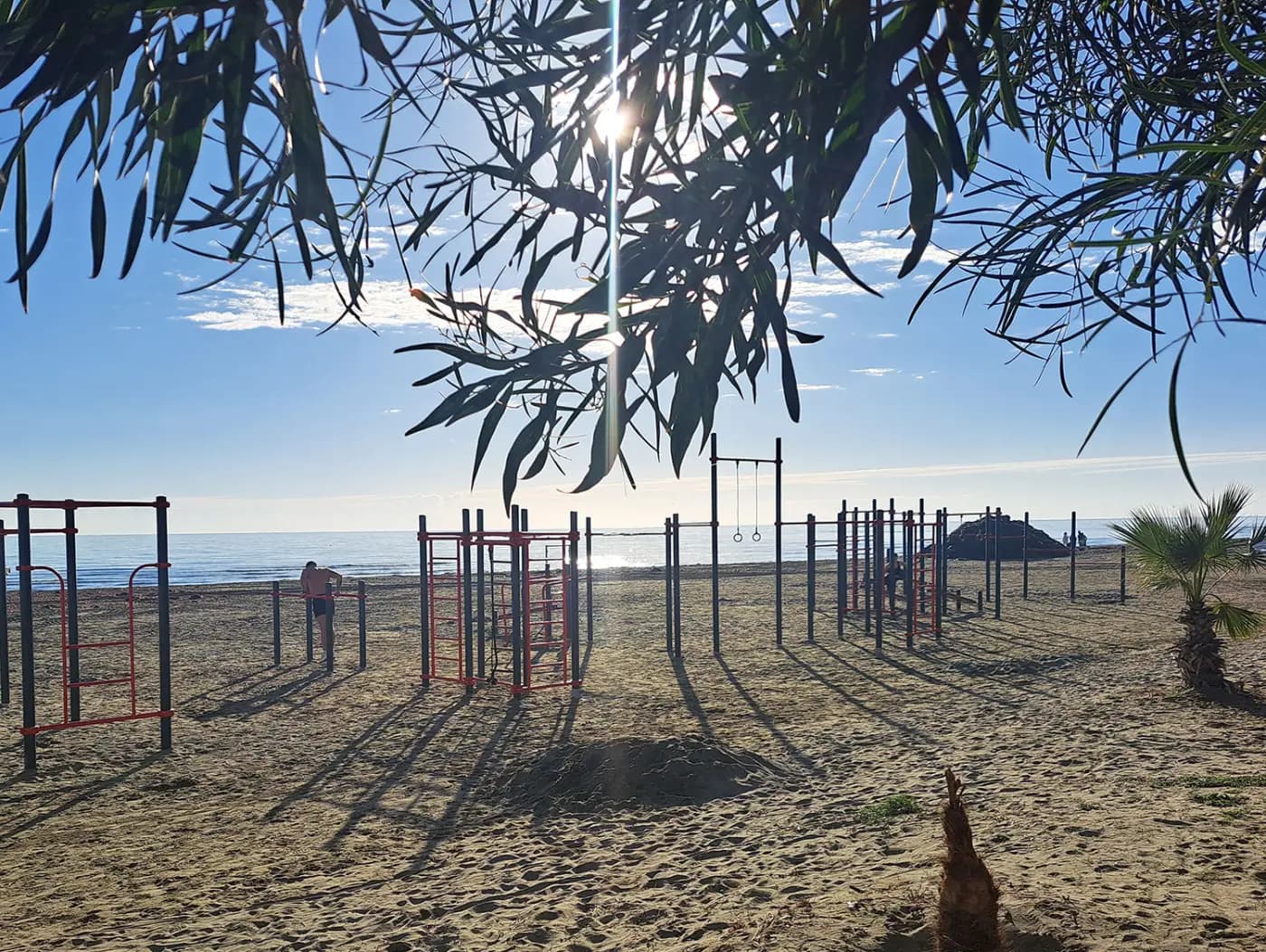
a year ago i was at the kastella beach in larnaca, cyprus, working out at the calisthenics park (picture). i met a german-speaking guy from brazil, a successful entrepreneur living there. he used social media all day for work. we talked about focus and phones. then he showed me the app he used to avoid being distracted while using social media. it's called One Sec. it doesn't block your apps. it interrupts you after you've been in it a while.
i tried it that day on linkedin and instagram. it worked immediately.
why i stopped using One Sec
i bought a year and used One Sec on all my apps for 9 months. it saved me hours. i could still check what i needed, and i stopped falling into the 30 minute scrolling sessions.
two things bothered me though.
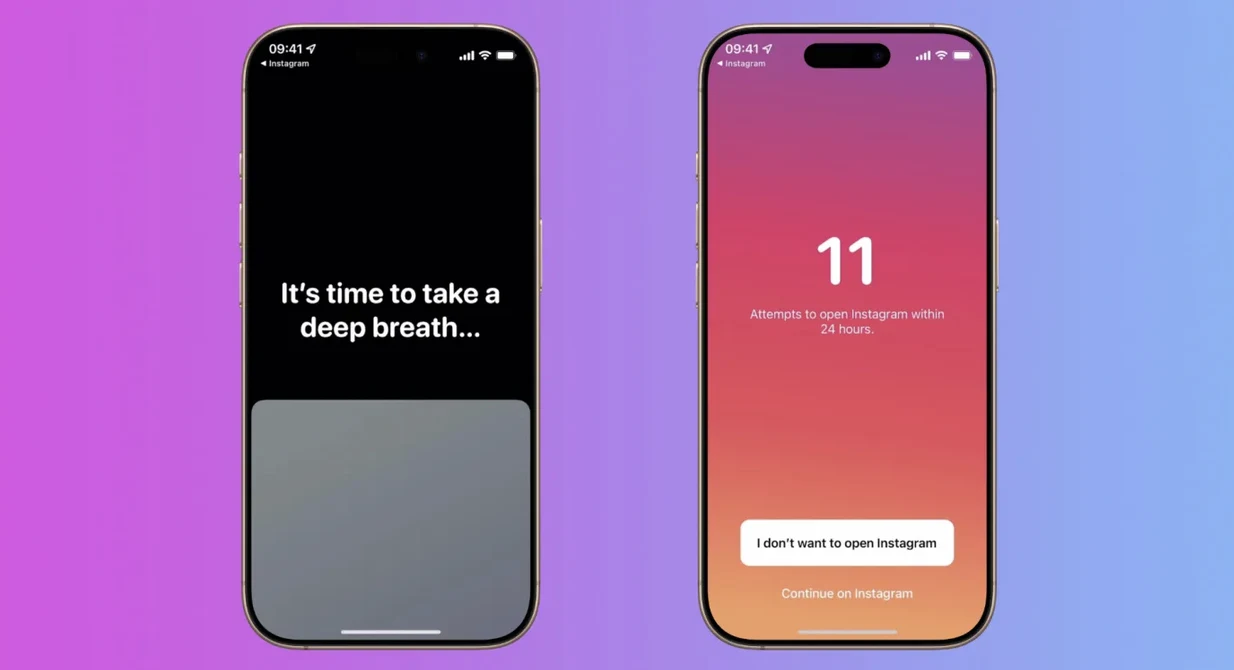
besides the intervention, One Sec adds an extra layer of friction with a breathing exercise. it worked for the first few weeks. then i just clicked through because i was frustrated that i couldn't get to my post quickly.
it's another subscription, and we already have many. paying $19.99 every year for it is acceptable, but i believe such a product must be more accessible and shouldn't require a subscription.
why i built my own
so i looked for another app that interrupts instead of blocks. i couldn't find one. everything out there either fully blocks your apps, or wraps itself in wellness language and charges a lot for it. still true as far as i know.
doom scrolling can't be fixed by blocking social media apps.
what works is adding smart friction.
letting you check what you came for, then making it harder to keep scrolling mindlessly.
a few apps try this, but they're either clunky or want $15+/year for basic functionality.…
i've been building for 10 years as a developer. with AI, the coding part of an app like this is mostly solved now. so i built the thing i wanted.
it wasn't only for me. my girlfriend scrolls too much. my dad too since facebook introduced shorts. that's why i built kokopi.
the name comes from my trip to southeast asia early this year. kopi means coffee in malay and indonesian. and in māori, kokopi is a verb that means to shut or close, like shutting a lid or closing your mouth tightly.

i think it reflects the spirit of kokopi. a pause. a break from socials after you've checked what you came for, exactly when you don't need them anymore.
how kokopi works
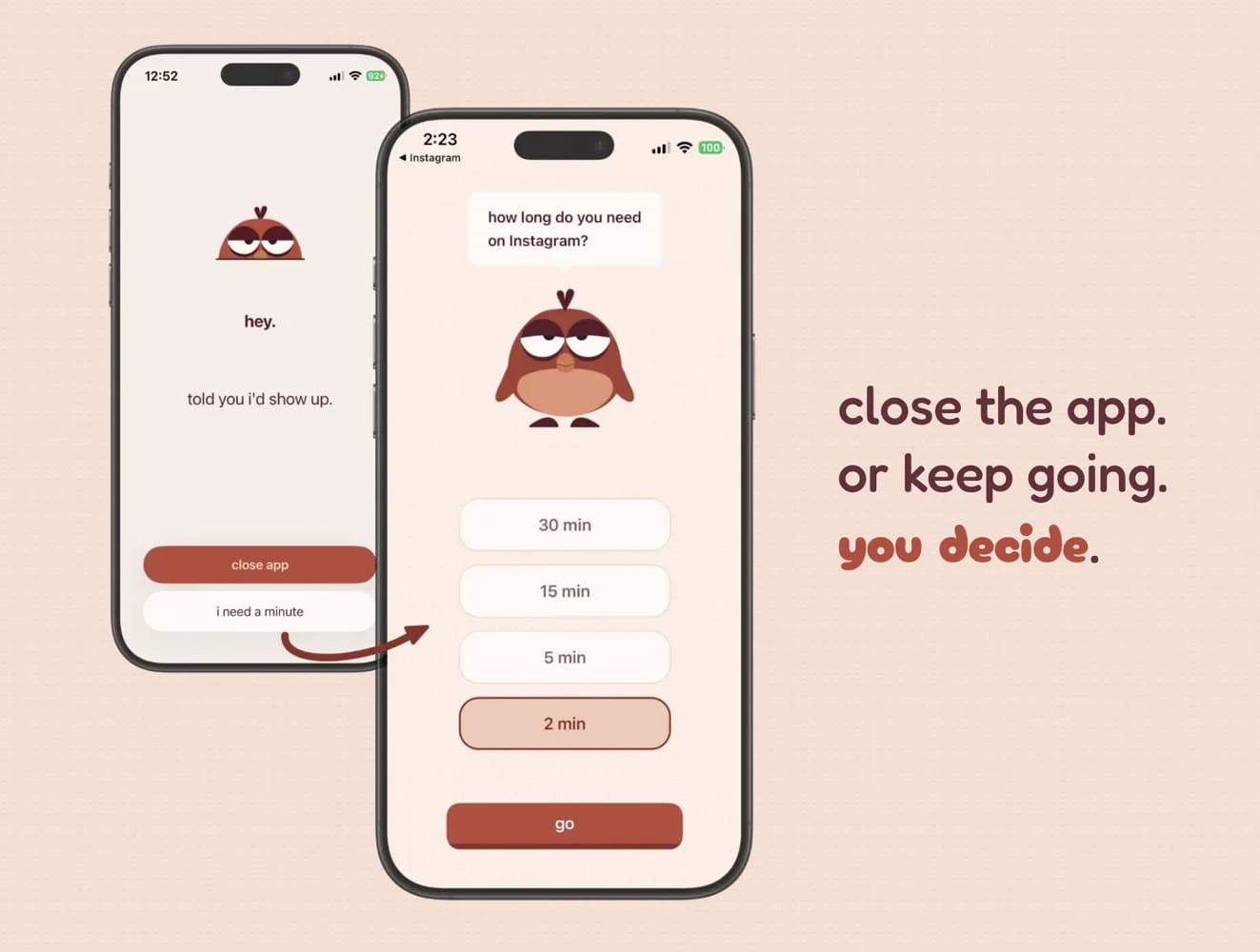
kokopi's mascot is a little bird called koko. you scroll too long, he shows up and stares at you. he's a bit unhinged, and he asks if you want to close the app or keep going. you decide. he never blocks anything.
social media apps keep you in with variable rewards. you never know what the next post will be, and that uncertainty is what triggers the dopamine and puts you on autopilot. you can't leave that state on your own, because you don't feel it happening. koko shows up at the right moment and makes you feel it.
does interrupting yourself actually work
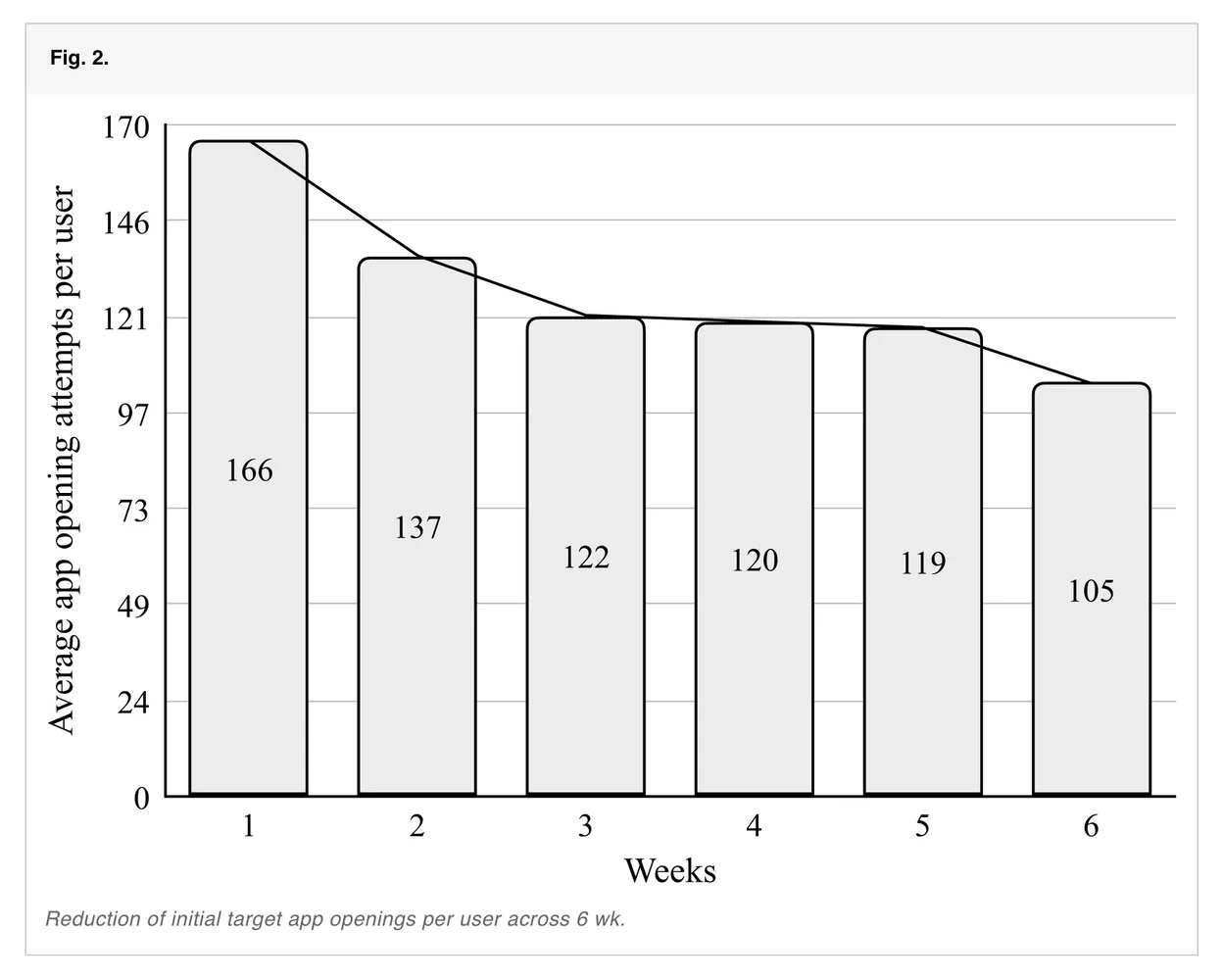
there's research on this. a 2023 study in PNAS found people opened their apps about 57% less when this kind of interruption was added. it lines up with what i felt during those 9 months.
kokopi does the same job, with koko instead of a breathing exercise. you test it for a week, then you pay $7.99 once, no subscription. you pick the apps and the limits.
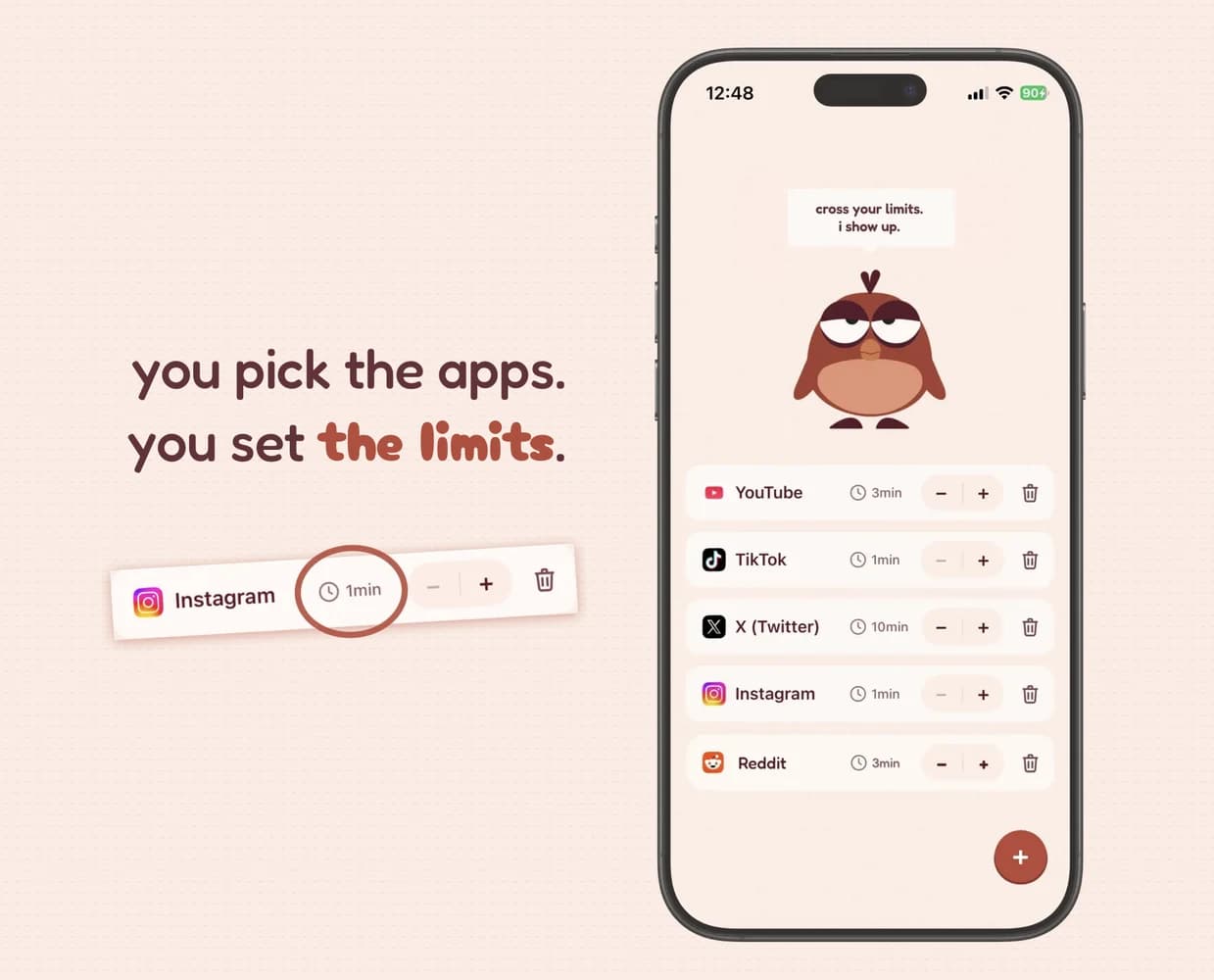
an intervention app builds the habit of noticing when you're scrolling for no reason, without cutting you off from what you need.
it's not a silver bullet though. i still keep a few simple rules for myself. phone out of sight until noon. never in bed. no screen 1 hour before bed. grayscale mode in the evening. focus mode with most of notifications off.
so should you ever block
sometimes, yes. if there's an app you never need for work, a game or a feed you'd happily lose, a hard block is fine. blocking fails when it stands between you and something you actually use every day.
for everything else, i recommend an app that doesn't block. it builds the habit of opening your phone less, without cutting you off from what you actually need.
that's what One Sec and kokopi do.
i compared nine of these apps, blockers and interrupters, in the best apps to stop scrolling.
common questions
how is this different from blocking apps?
- blockers say no. kokopi asks "are you sure?" then gives you a button that says yes. you stay in control. friction at the moment of choice, without taking the choice away.
does it actually work?
- a 2023 peer-reviewed study found this kind of intervention cut app opens by about 57%. koko works the same way, a gentle nudge that breaks the autopilot before you notice you’re in it.
how is this different from iOS Screen Time?
- screen time has two modes, yesterday’s report or a hard lock once you hit a daily limit. reports come too late to change anything in the moment, and limits get tapped through within a week. kokopi shows up while you scroll, doesn’t block, and just gives you a choice.